Stop booking appointments over WhatsApp one by one
Replying to messages to agree on a time eats into your day, and you still miss people who write late at night. Here is how to set up a page where the client books on their own, at any hour.
Create a free accountCutting hair with your phone in your hand
You are halfway through a skin fade and your phone buzzes: "any slots today?". You stop, check the diary, reply, he asks if 6pm works, you reply again. Meanwhile the client in the chair is waiting.
At night, after closing the shop, there are still messages asking for Saturday. If you take too long to answer, he books at the barbershop that let him book on his own.
With a booking page, clients see each barber's free times and book without waiting for anyone. You just open the diary and find it filled in.
How to set up online booking (with or without software)
Online booking is more than having a link. It works when people find everything they need to decide and can book without having to ask anything.
List services with price and duration
A clear name, what it costs and how long it takes. People who see that straight away don't need to message you, and you know exactly how much time to block in the diary.
Show only times that are really free
Nothing breaks trust faster than booking and then hearing "sorry, that time doesn't work". The diary people see has to be the same one you use every day.
Let people choose who they book with
If you work with a team, many people have a favourite. Showing who works there and letting them choose avoids back-and-forth messages and disappointment on the day.
Put the link where people already are
Instagram bio, WhatsApp status, Google profile, WhatsApp away message. The closer the link is to where people think about booking, the better.
Confirm every booking
Every booking needs a confirmation with the day, time and address. It reassures the person who booked and cuts down on forgotten appointments.
How it works in My Zeit
In My Zeit, every business has its own booking page. You set it up once in the dashboard and it shows your real diary, always up to date.
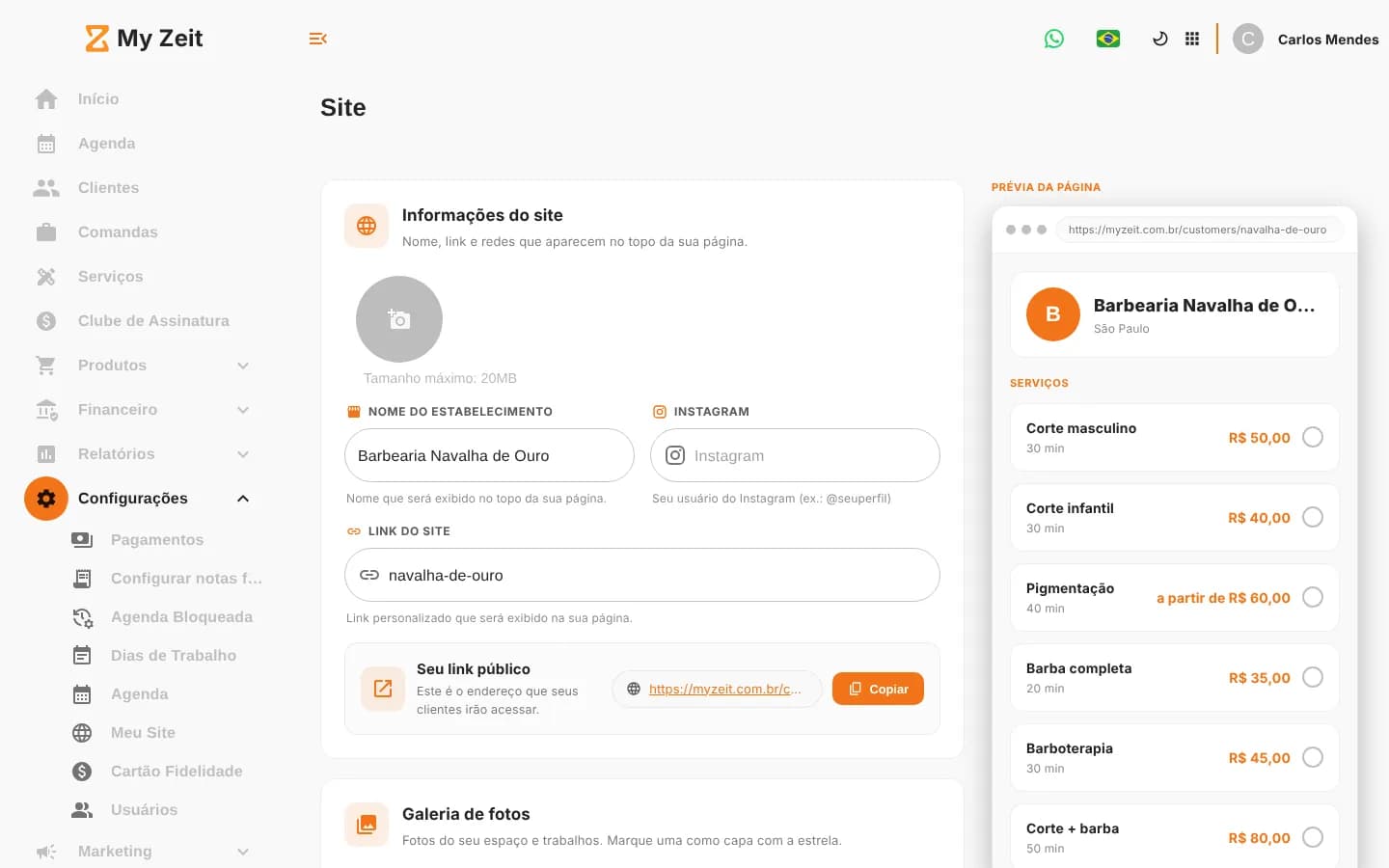
You set up the page in the dashboard
In the dashboard, in the "Website" settings, you add your name, Instagram, website link, logo and cover, a gallery of up to 10 photos and a short bio. Products you mark to appear on the site are shown too.
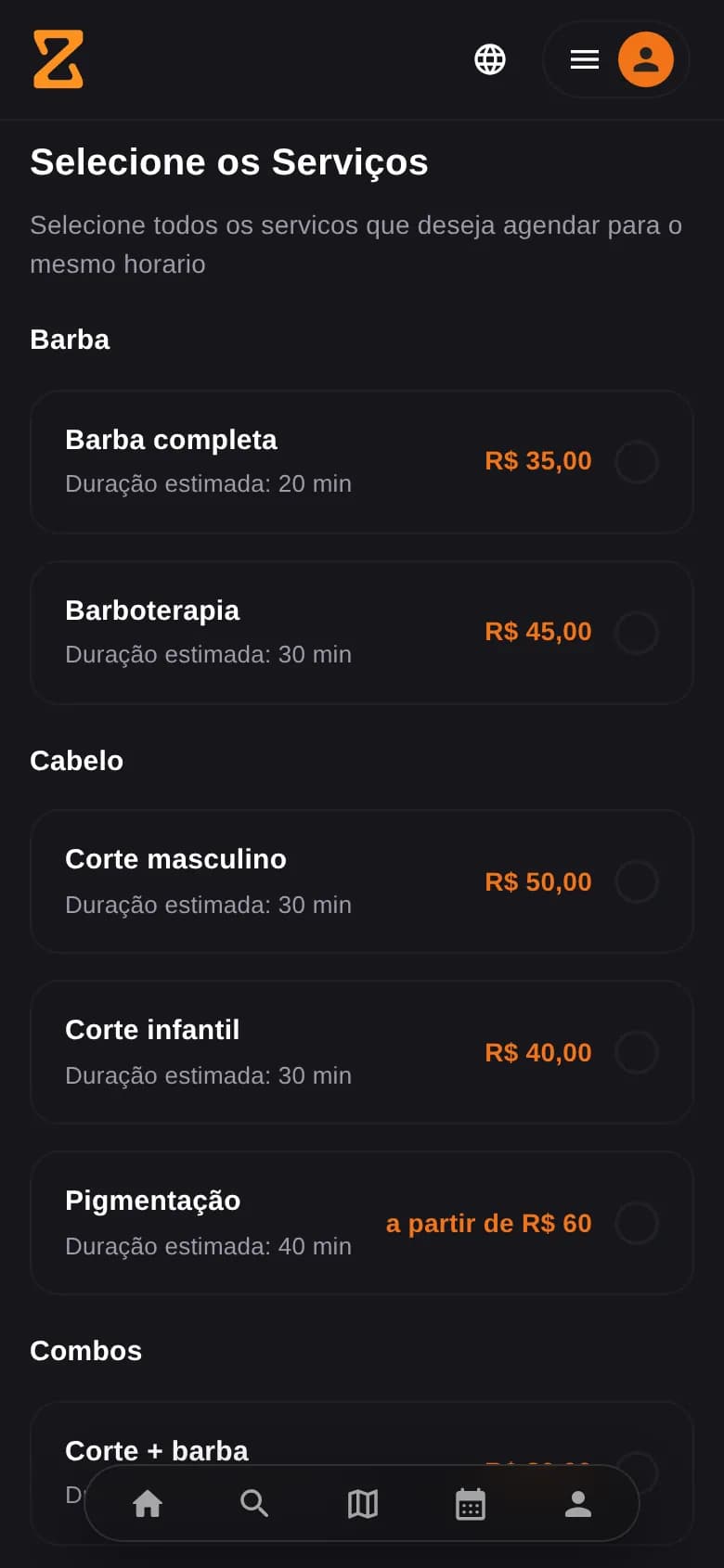
The client sees services and barbers
On the public page, the client sees your bio, the services with price and duration and the barbers who work there, then picks a service and who to book with.
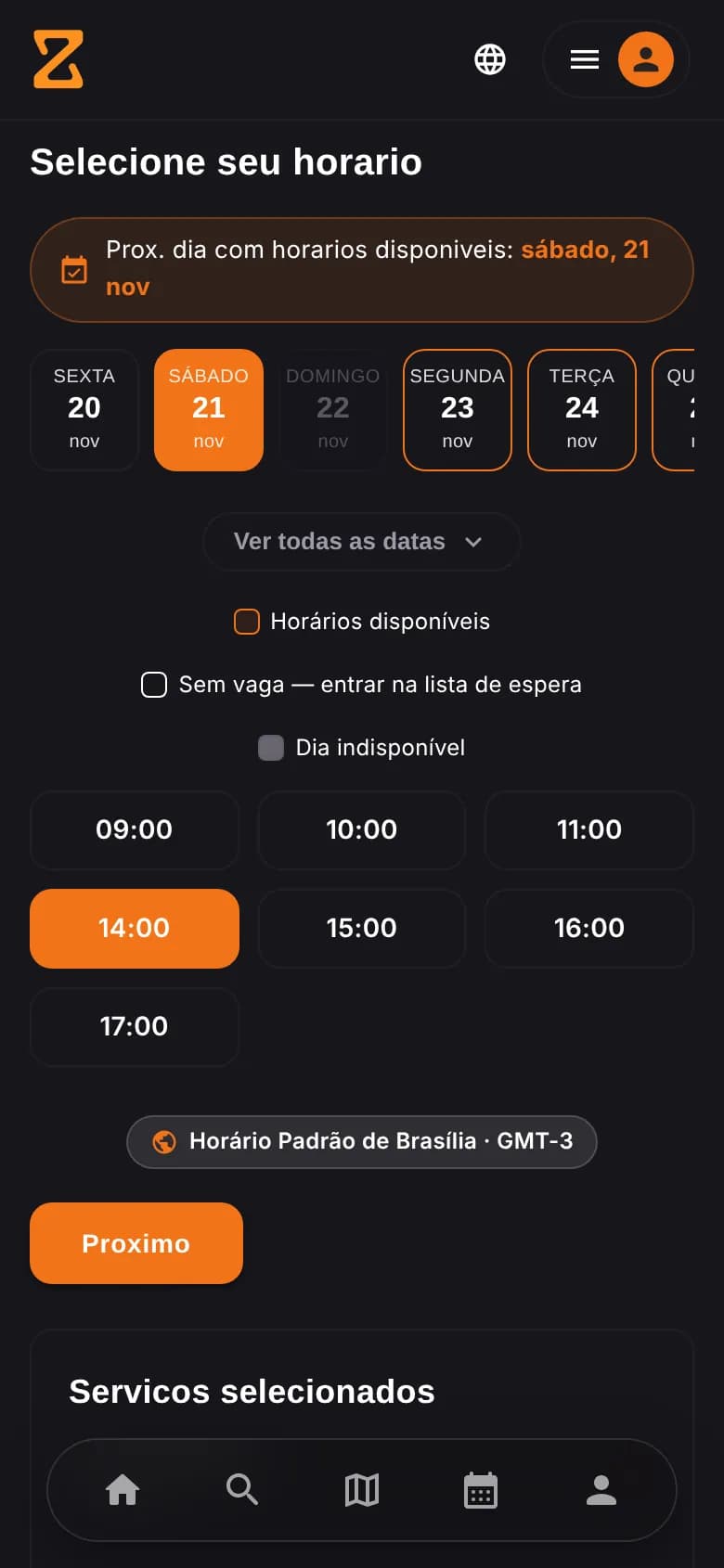
They pick a free time and confirm
Only free times in the diary are shown. The client picks one, signs in with a confirmed mobile number and the booking goes straight into your diary, at any hour of the day or night.
Frequently asked questions
Can clients choose their barber?
Yes. On the page they see the shop's barbers and each one's free times, and book with whoever they prefer.
Can I show styling products on the page?
Products you mark to appear on the site are shown on the barbershop's page, alongside the services.
Does the client need to identify themselves to book?
Yes. To book, the client signs in with a confirmed mobile number. That way you know who booked and can reach them if you need to.
Where should I put the link?
Wherever people already talk to you: your Instagram bio, WhatsApp status, Google profile or any message. It is one link that always shows your up-to-date diary.
Does the client get a confirmation?
With WhatsApp connected, the client gets a confirmation on WhatsApp right after booking, and reminders go out before the scheduled time.
See also
WhatsApp reminders that go out by themselves, from your number
Confirmations and reminders for every appointment sent automatically from your WhatsApp number, with no charge per message.
Stop no-shows by taking a deposit at booking
Collect part of the price when the client books and stop losing appointments to people who never show up.
Get found by people looking for barbershops near them
Show up in the search, on the map and on city pages for people looking for barbershops, with no listing fee.
Let your diary do the work
Create your account, set up your booking page and put the link in your Instagram bio today.
Create a free account