Stop no-shows by taking a deposit at booking
People who have already paid part of the price think twice before skipping. Here is how a deposit works, how to pick the amount and how to collect it without chasing payment proofs.
Create a free accountWhat no-shows cost your barbershop
Saturday morning, fully booked, and the 10 a.m. client doesn't show up. No message, no reply. The chair you kept for him sits empty, and the person who asked for that time on Thursday got a haircut somewhere else.
One no-show looks small. The problem is that it happens every week, and the barber sits idle without earning. An empty chair at 10 a.m. can't be sold again at 3 p.m.
A deposit changes how people book. Clients who have already paid part of the price let you know when they can't make it, reschedule in advance and, most of the time, simply show up.
How to start taking deposits (with or without software)
A deposit works for any barbershop, whether you use software or not. What makes the difference is a clear rule, applied every time.
Set the deposit amount
A fixed amount or part of the price. Small enough not to put people off booking, big enough that skipping actually costs something.
Choose who pays it
You don't have to ask everyone. Many start with new clients or people who have missed before, and let regulars book as usual.
Write the rule down and show it before booking
Say clearly what happens to the deposit after a no-show, a reschedule made in advance or a last-minute cancellation. A rule agreed upfront avoids arguments later.
Give a deadline to pay
An unpaid booking shouldn't hold a slot forever. Set a short deadline and free the slot when it passes.
Take the deposit off the final bill
The deposit is part of the price, not an extra fee. At the end, charge only what is left, so the client feels they paid early, not twice.
How it works in My Zeit
In My Zeit, the deposit is paid on your own booking page. You switch it on once and never check a payment proof again.
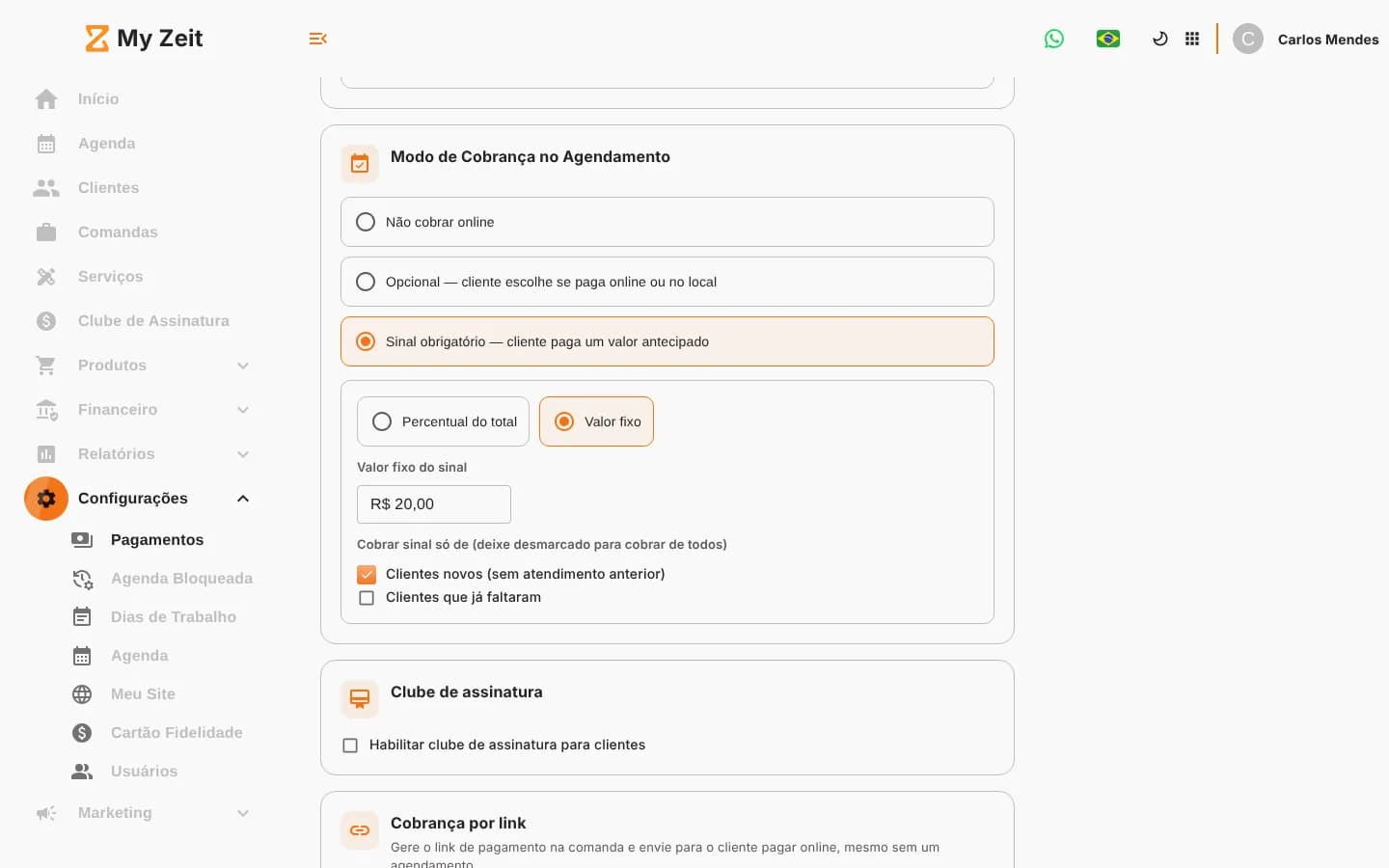
Turn on online payment and the deposit
In the payment settings, choose the mandatory deposit and set a fixed amount or part of the price. You can ask only new clients or only people who have missed before.
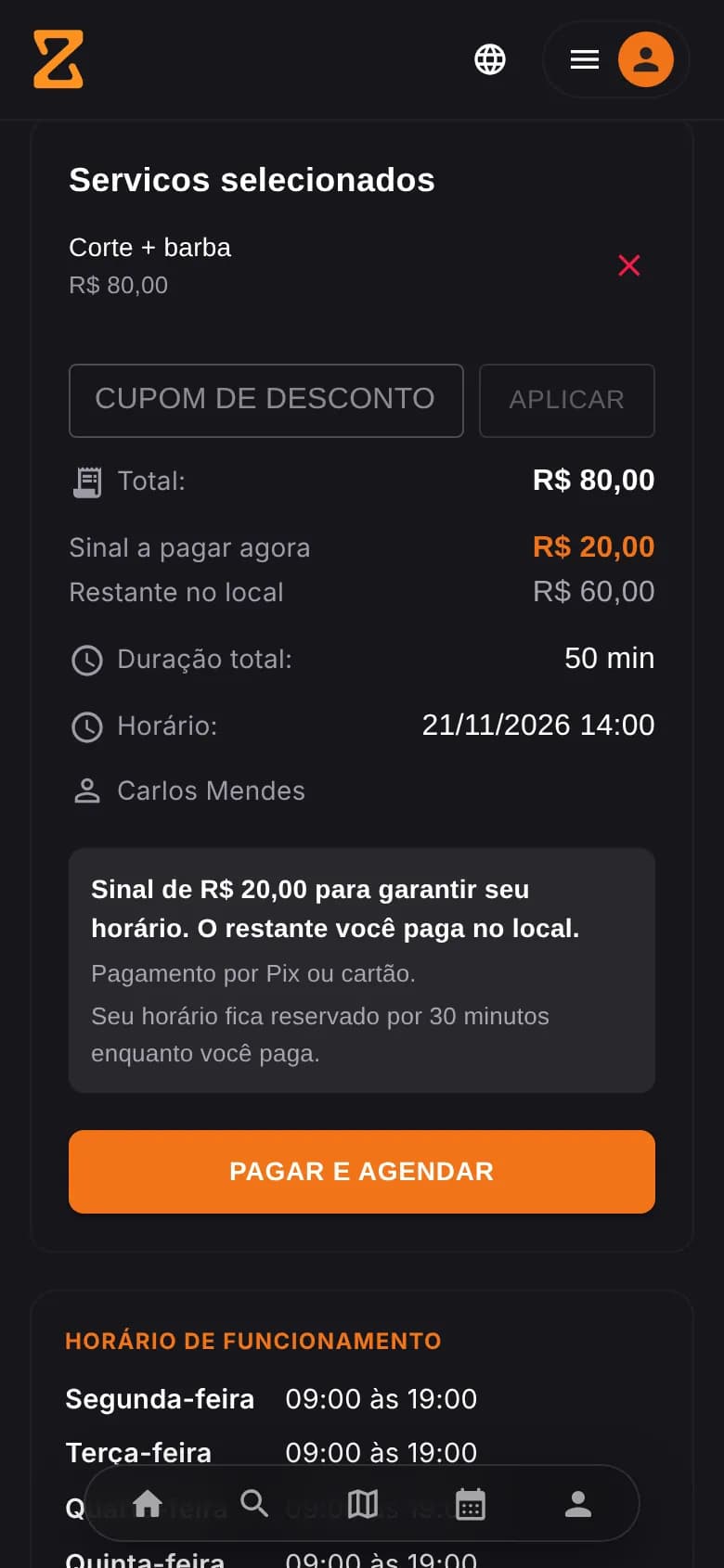
The client pays when booking
On the booking page, the client picks a time and pays the deposit (Pix or card). If it isn't paid within 30 minutes, the booking is cancelled and the time is free again.
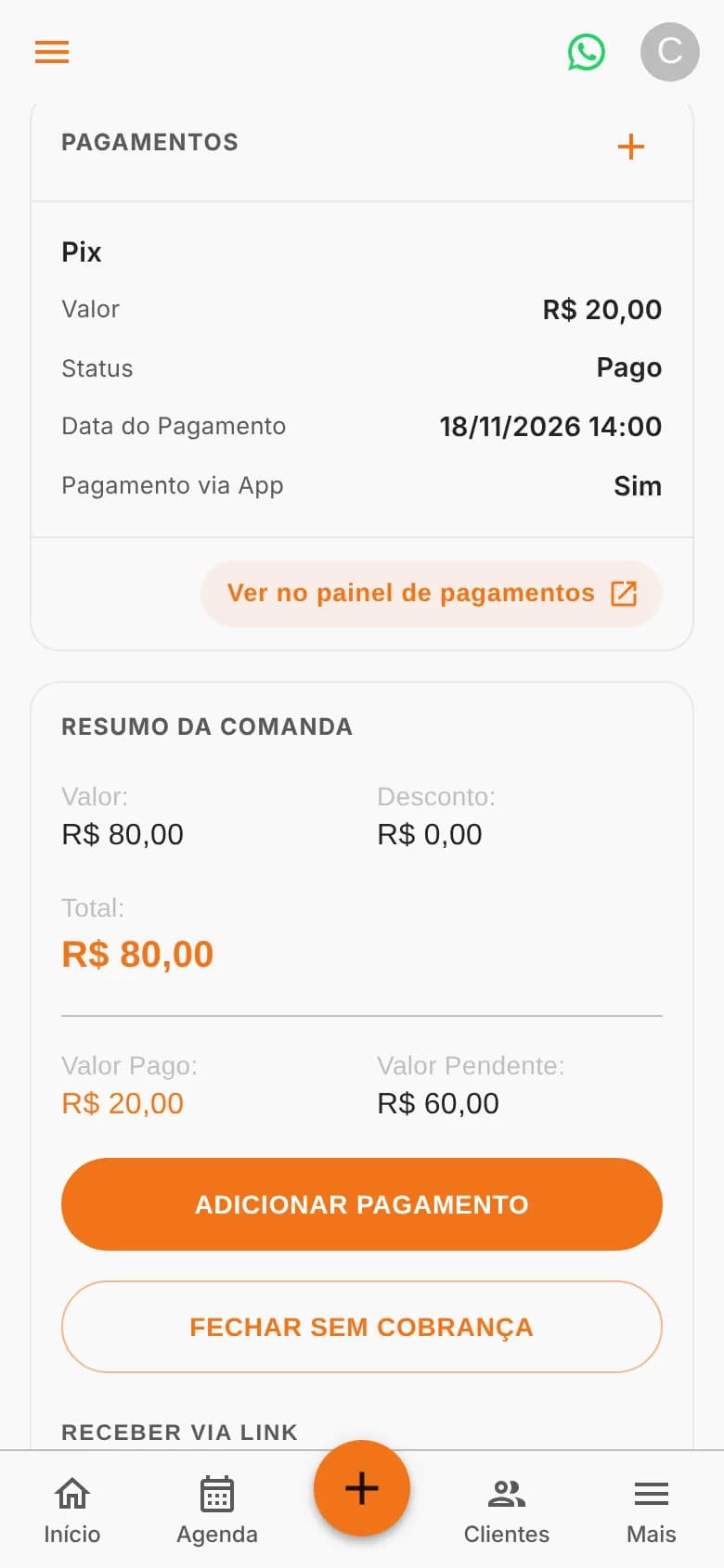
You see what has already come in
The deposit shows as paid and, at the appointment, you charge only the rest. When you create the booking yourself in the dashboard, the deposit payment link goes to the client by WhatsApp.
Frequently asked questions
Won't a deposit scare clients away from the barbershop?
Regulars don't mind paying part upfront, since they'll pay anyway. If you're unsure, start with new clients or people who have missed before and keep regulars booking as usual.
Can I ask for a deposit only on some services?
The deposit applies to the barbershop's bookings with online payment, not service by service. You control the amount (fixed or part of the price) and who pays it.
How can the deposit be paid?
Online, on the booking page (Pix or card), before the booking is confirmed.
Are there fees on online payments?
Yes. The payment processing fee and the platform fee come out of the amount you receive. The client pays only the deposit, nothing on top.
Can I charge the full price instead of a deposit?
Yes. Besides the mandatory deposit, you can offer optional online payment for people who prefer to pay everything when they book.
What if someone books and doesn't pay?
The booking waits 30 minutes for the payment. After that it is cancelled automatically and the time is free for someone else.
See also
WhatsApp reminders that go out by themselves, from your number
Confirmations and reminders for every appointment sent automatically from your WhatsApp number, with no charge per message.
Stop booking appointments over WhatsApp one by one
Your own booking page where the client picks the service, the barber and a free time, 24 hours a day.
Find out what's really left at the end of the month
Bills to pay, money to collect and cash flow in one place, so you know what's left each month.
Stop losing appointments to no-shows
Create your account, turn on online payment and start taking deposits on your booking page.
Create a free account