Get found by people looking for barbershops near them
Lots of people choose where to book on their phone, searching by neighbourhood or by specialty. Here is how to show up in those searches without relying only on word of mouth and without paying for ads.
Create a free accountA barbershop that runs on word of mouth alone
Almost every new client at your barbershop came because a friend sent him or because he walked past. It works, but it has a ceiling: the guy who just moved to the area, who works nearby or who is tired of his usual barber has never heard of you.
He picks up his phone and types "barbershop near me". He chooses by the photo, the price of a haircut and how easy it is to book. If your shop doesn't show up, he books somewhere else, even if you are two streets away.
Showing up in that search, with the right photo, services and hours, puts your chair in front of people word of mouth would never reach.
How to be easier to find (with or without software)
People looking for somewhere new decide in seconds. You don't need an agency or an ad budget: you need complete, up-to-date information and a simple way to book.
Get the photo and the name right
The first thing people see is your photo and your name. Use a clear picture of the space or the shopfront, and the name as it appears on the door, so people walking by recognise it.
List services with price and duration
Someone who doesn't know the barbershop wants to see what you do, what it costs and how long it takes. An incomplete list sends them back to the search to pick somewhere else.
Keep your address and opening hours accurate
A wrong address or outdated hours put off people who were ready to book. Check them every time you move, change your hours or change the days you work.
Make booking easy
If booking means sending a message and waiting for a reply, some people give up along the way. A link where they pick the service and the time themselves keeps the people who arrived from a search.
Keep the diary busy
People searching trust places that look active. Looking after your clients, asking them to come back and actually using your booking system shows that the barbershop is open and working.
How it works in My Zeit
In My Zeit, every business on the platform shows up automatically on the search portal at no extra cost: no listing fee and no paid featured spot. Results are ordered naturally; nobody buys a position.
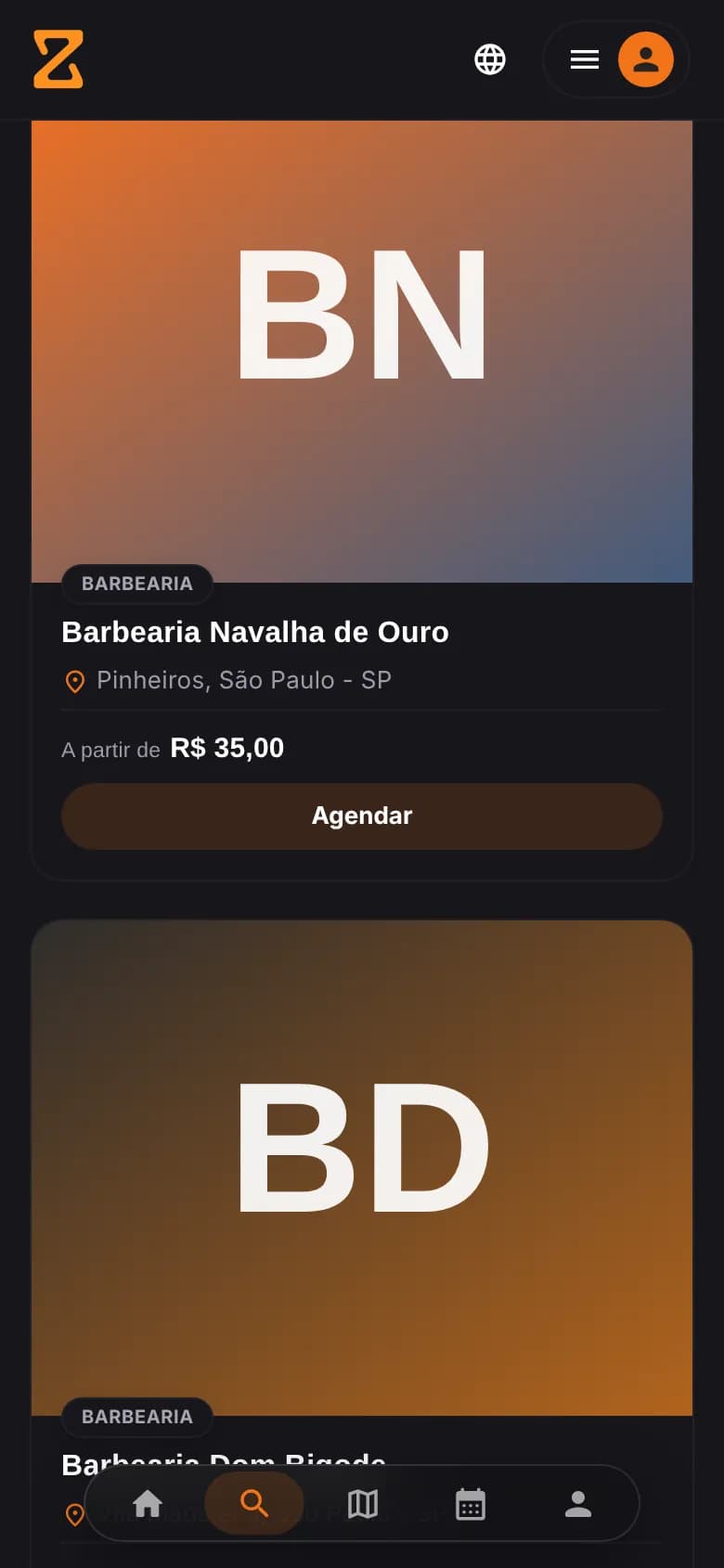
People search and find you
On the portal, people looking for somewhere to book search by name, specialty or city and see the results as a list or on a map. Profiles with a photo, services and opening hours filled in, with recent bookings and close to the person searching, tend to show up better.
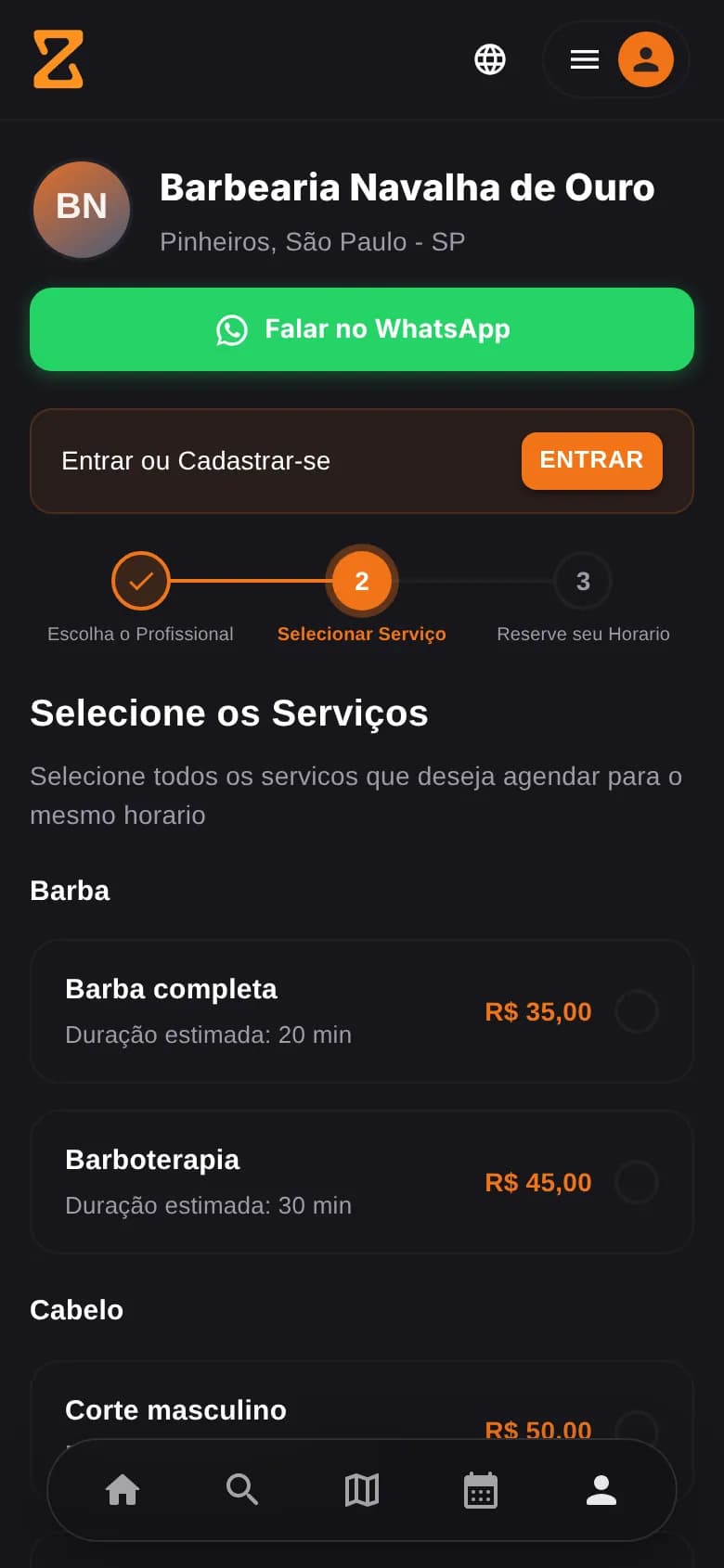
One tap opens your booking page
Tapping the card takes people straight to the booking page of the barbershop, with your services, barbers and free times, and they book right there.
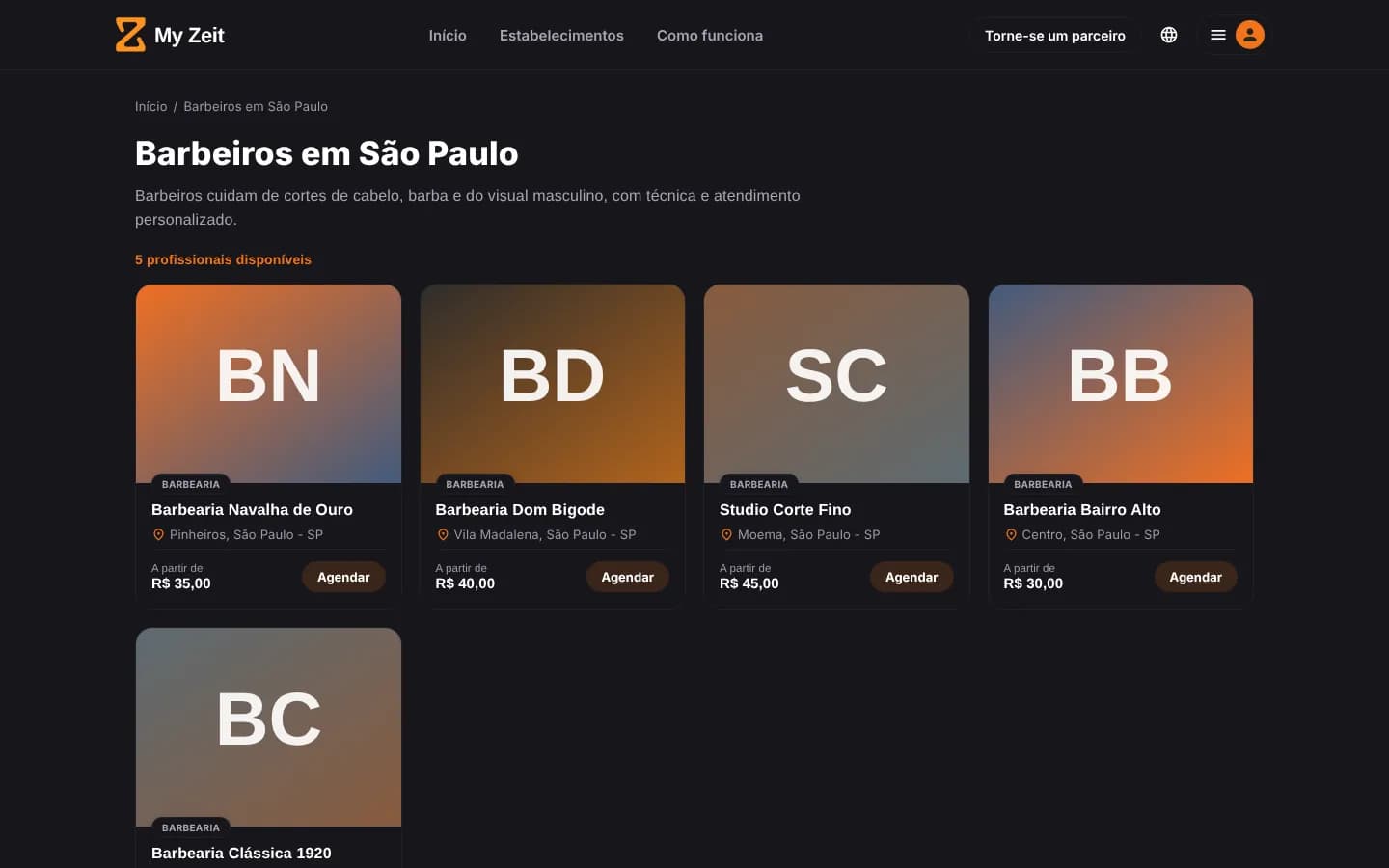
Pages by specialty and city
The portal also has "specialty in city" pages, listing the businesses that have their booking page, city and category filled in. It is one more way in for people searching online.
Frequently asked questions
Does a small one-chair barbershop show up too?
Yes. Every business on the platform is on the portal, whatever its size. What helps is having a photo, services and opening hours filled in.
Which barber does a client from the portal book with?
He lands on the barbershop's booking page and picks the service, the barber and a free time, just like your regulars.
Do I have to pay to appear on the portal?
No. Every business on the platform appears automatically, with no listing fee and no paid featured spot.
What helps the barbershop show up better in the search?
A complete profile helps: a profile photo, services and opening hours filled in. Recent bookings and distance from the person searching also count. No position can be bought or guaranteed.
How do I get onto the specialty and city pages?
Keep your booking page active and fill in the city and category of the barbershop. You will then be listed on the pages for your specialty in your city.
See also
Stop booking appointments over WhatsApp one by one
Your own booking page where the client picks the service, the barber and a free time, 24 hours a day.
Fill the gaps in your diary by posting them to your Stories
Create an image with the day's free times and post it to your Stories or WhatsApp status in a few taps.
Let people looking for you find you
Create your account, complete your profile with a photo, services and hours, and show up on the search portal.
Create a free account