Answer WhatsApp straight away, even with your hands full
A message that waits too long for a reply turns into the client booking somewhere else. Here is how to organise WhatsApp replies and let an AI handle everyday questions and bookings, on your own number.
Try it freeClippers in hand and the barbershop phone buzzing
You're halfway through a skin fade and the phone won't stop: one guy wants to know if there's a slot today, another asks the price of a beard trim, another wants to move his Saturday appointment. Putting the clippers down to reply isn't an option.
When you finally check WhatsApp half an hour later, the client who asked has already booked at another barbershop. And at night, after closing, there is still a queue of messages waiting.
With the AI answering, whoever asks gets the free times straight away and books right there. You finish the cut, glance at the phone and the booking is already in the diary.
How to organise WhatsApp replies (with or without AI)
Most messages that reach the barbershop are the same few: any time free, how much, where are you. Organising your answers already solves a good part of the problem.
List the questions you get most
Spend a week noting what people ask. Address, opening hours, prices and payment options usually come up every day. Write a short, clear answer for each one.
Keep a booking link ready
Instead of haggling over times message by message, send a link where people see the free times and pick one. The conversation ends faster and without mix-ups.
Set an expected reply time
People who message you want to know they'll be looked after. If you can't answer right away, a message saying when you'll be back stops them looking elsewhere.
Decide what needs a person
Complaints, special requests or sensitive topics deserve attention from someone on the team. Be clear about what can be answered automatically and what always goes to a person.
Keep the diary up to date
No answer works if the diary is out of date. Block days off and breaks and keep services current, so the time you offer is a time that really exists.
How it works in My Zeit
In My Zeit, the AI answers on the WhatsApp of the barbershop, with access to your real diary. You choose what it is allowed to do and follow every conversation from the dashboard.
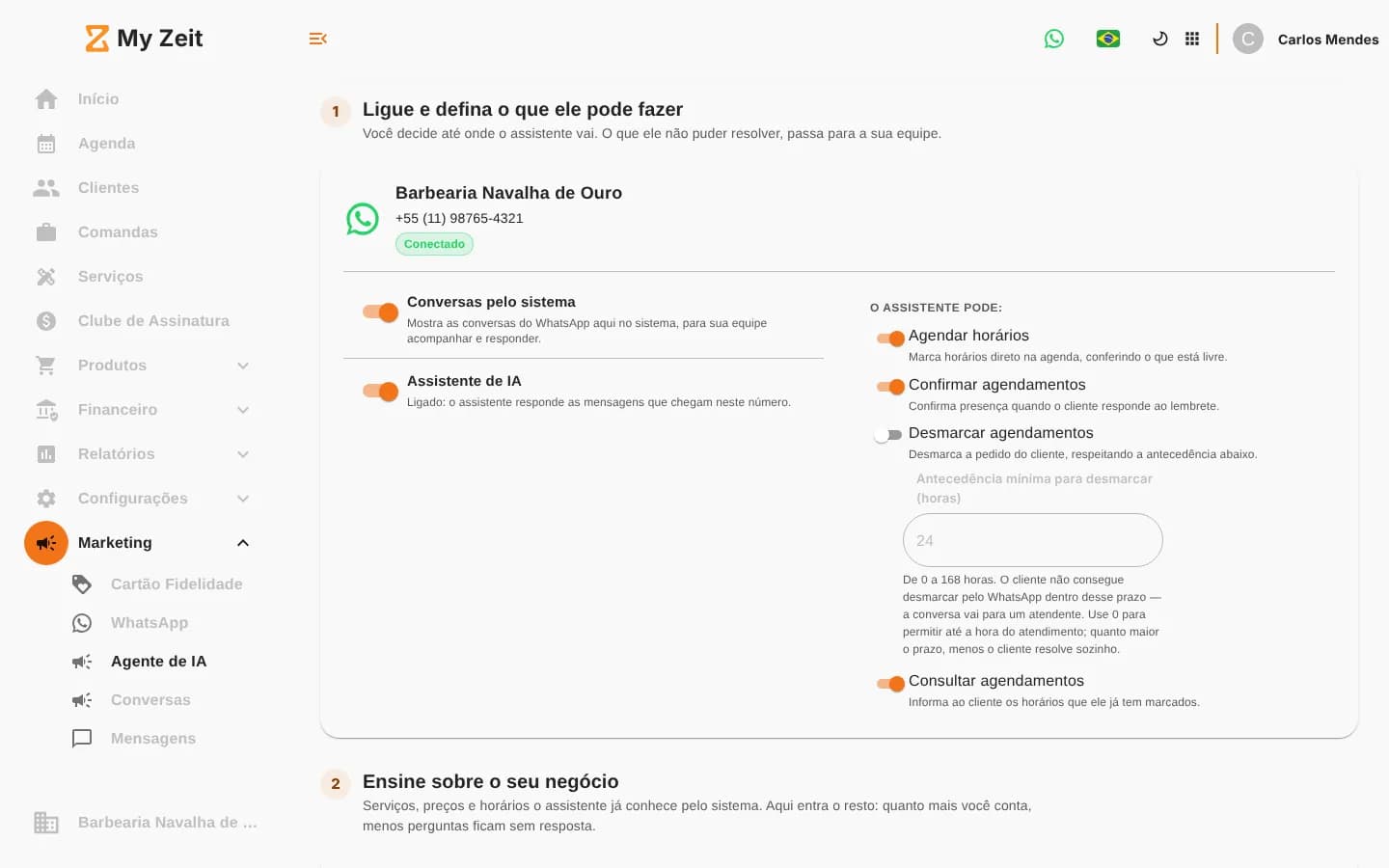
Switch each action on or off
In the settings, you choose what the AI can do: list services and barbers, check free times, create, confirm, cancel and reschedule appointments, register new clients and send the booking link. You also fill in your FAQ, address and opening hours.
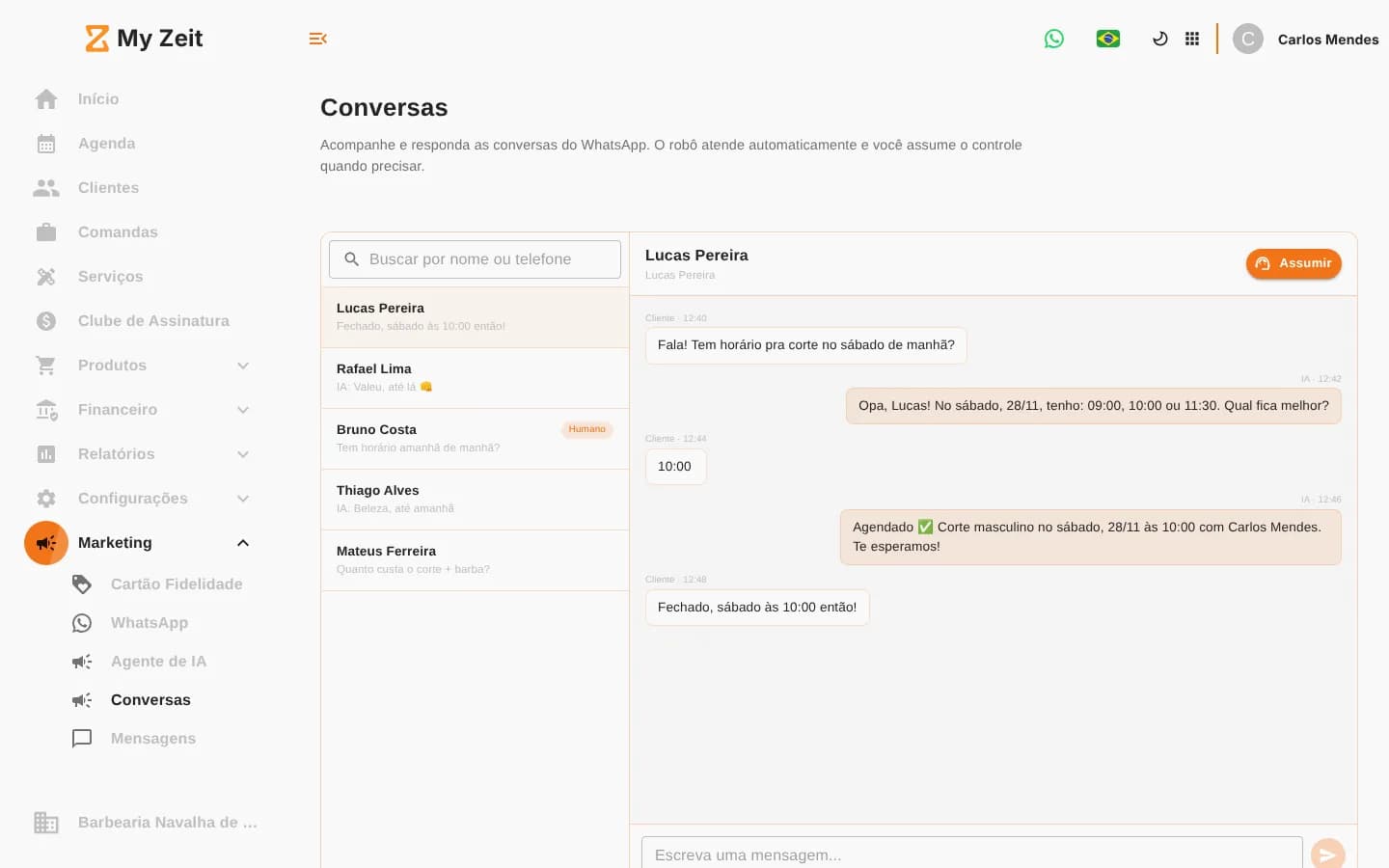
Every conversation in one place
From the dashboard, you follow each WhatsApp conversation and see what was answered. If someone on the team replies from the phone, the AI pauses in that conversation for 24 hours so it doesn't talk over them.
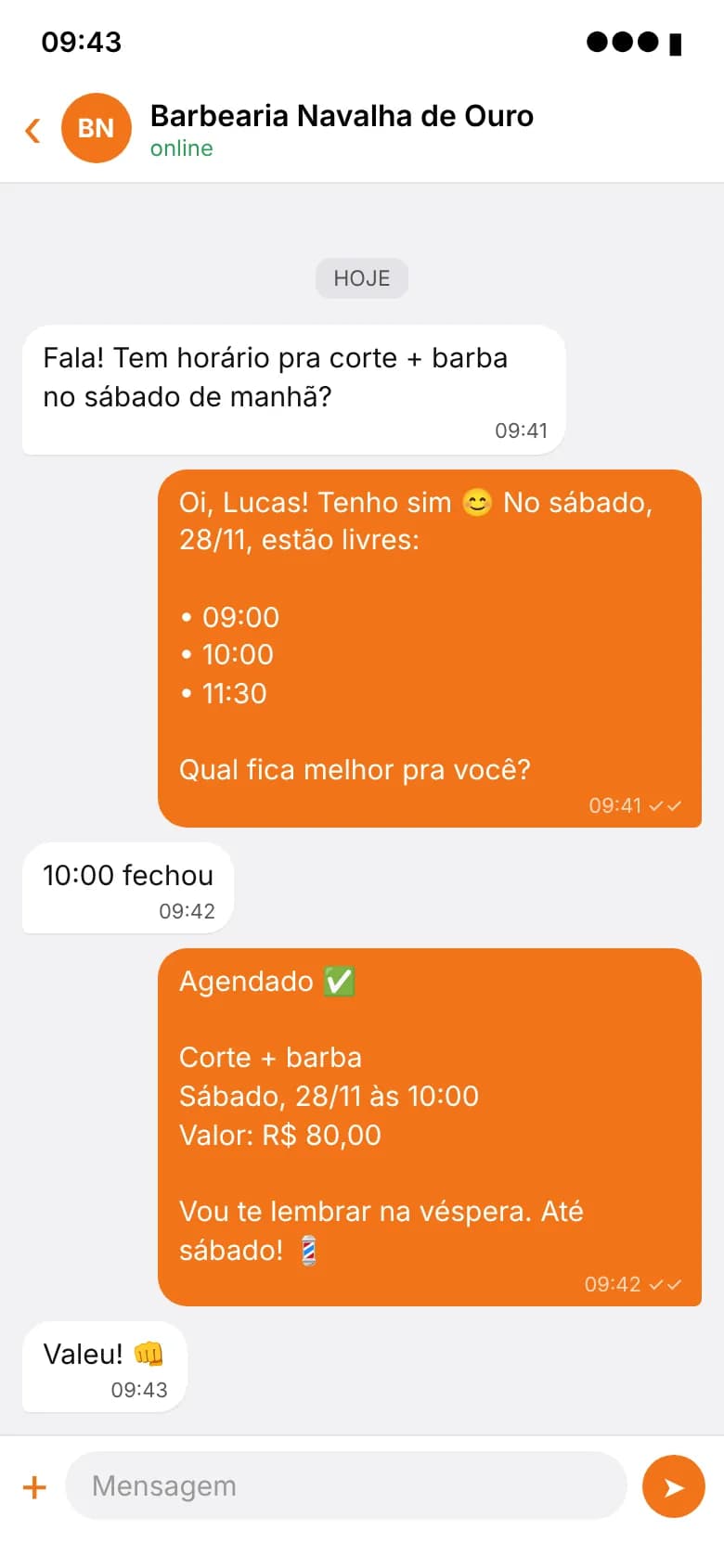
The client books by chatting
The client asks whether there is a free time, the AI shows the options and books it in the diary. In the same chat, they can see their bookings, reschedule, cancel or ask to talk to a person.
Frequently asked questions
Does the AI know which barber has a free slot?
Yes. It checks the real diary, lists the barbers and services and offers each barber's free times.
Does it reply outside opening hours?
Yes. The WhatsApp conversation keeps working at night and on Sundays, and clients can book the next free slot.
Does the AI reply from my WhatsApp number?
Yes. It answers on the WhatsApp of the barbershop, the number people already know. There's no new number to share.
What if I want to reply myself?
Just reply from the phone. When someone on the team replies manually, the AI pauses in that conversation for 24 hours. It can also hand the conversation over to a person when asked.
Can I limit what the AI does?
Yes. Each action has its own switch: if you don't want it to cancel or reschedule, for example, just turn those actions off in the settings.
See also
WhatsApp reminders that go out by themselves, from your number
Confirmations and reminders for every appointment sent automatically from your WhatsApp number, with no charge per message.
Stop booking appointments over WhatsApp one by one
Your own booking page where the client picks the service, the barber and a free time, 24 hours a day.
Stop losing clients to slow replies
Create your account, connect the WhatsApp of the barbershop and let the AI reply and book while you work.
Try it free